Tasks & close checklists
Each client is a project with sections and recurring month-end checklists. Work in list, board or calendar view, with assignees, comments and attachments.
Tasks in detail →AutoZonBooks runs your firm’s month: recurring close checklists for every client, a client portal for bill approvals and to-dos, an AP inbox, and an AI Close Agent that checks QuickBooks against your own instructions.
Built by a working bookkeeping firm, for bookkeeping firms.
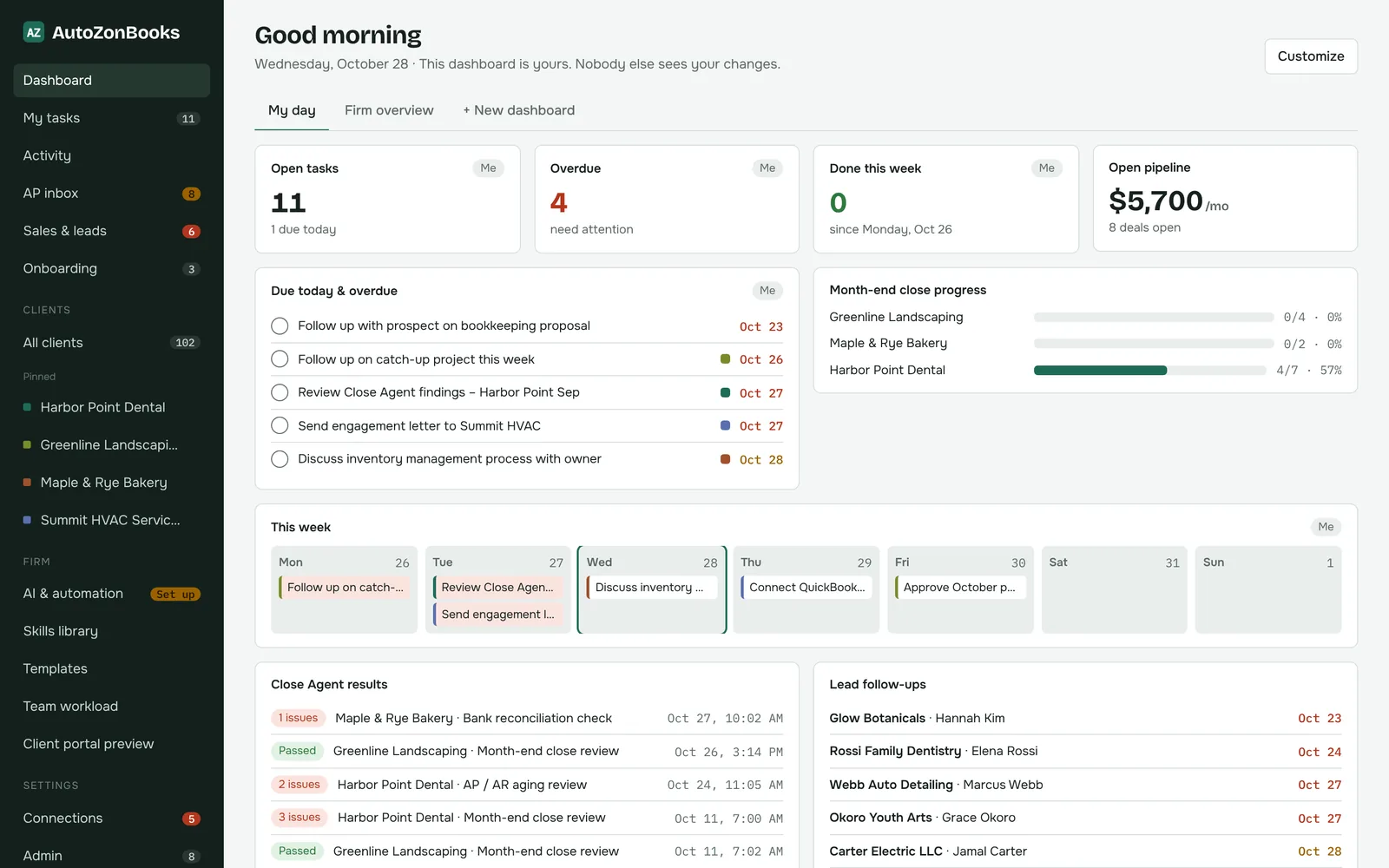
Stop stitching together a task tool, a shared inbox, email threads with clients and a spreadsheet of who’s closed. AutoZonBooks was built around how a bookkeeping firm actually works.
Each client is a project with sections and recurring month-end checklists. Work in list, board or calendar view, with assignees, comments and attachments.
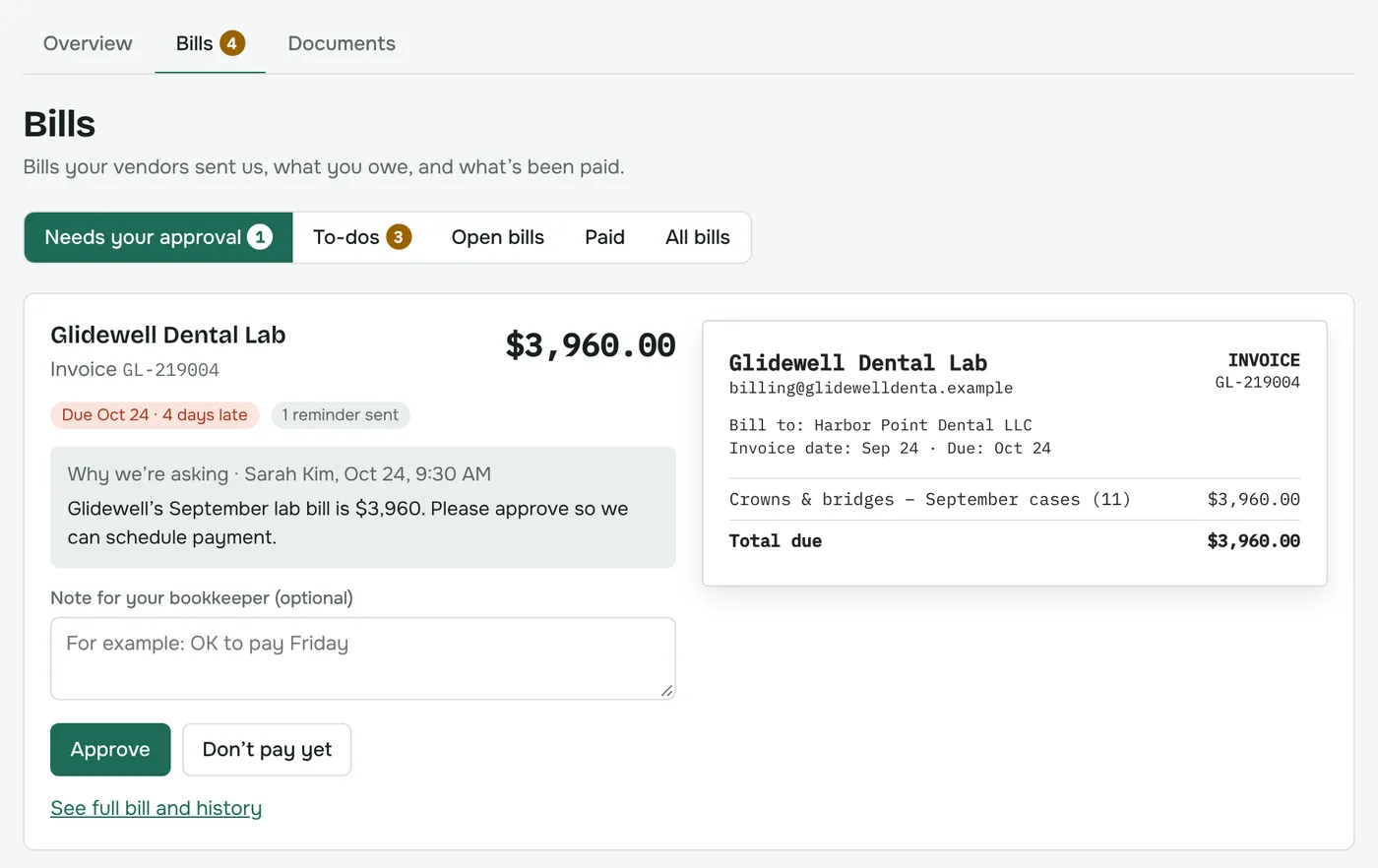
Tasks in detail →Clients approve or hold bills, answer your to-dos with text, files or a voice note, and download their reports. No more chasing over email.
See the portal →A billing inbox and review queue per client, approval requests sent to the client, and an AP report by vendor with notes like “do not pay”.
AP in detail →Skills check each client’s QuickBooks against your written instructions, on a schedule or on demand, and create follow-up tasks for what isn’t done.
How the agent works →An intake form, a template that creates and assigns the setup tasks, a checklist to track it, and a clean close-out when the client is live.
Onboarding in detail →Invite staff with roles, choose which clients each person sees, and balance work with the team workload view and per-user dashboards.
Team in detail →Also included: Sales & leads pipeline with deal valuesImport from Asana or ClickUp Coming soonMobile app Coming soon
Onboard each client with the intake form and your template. Write down what “closed” means for them, and connect their QuickBooks Online read-only.
Recurring checklists land on the right people every month. Clients approve bills and answer questions in their portal instead of your inbox.
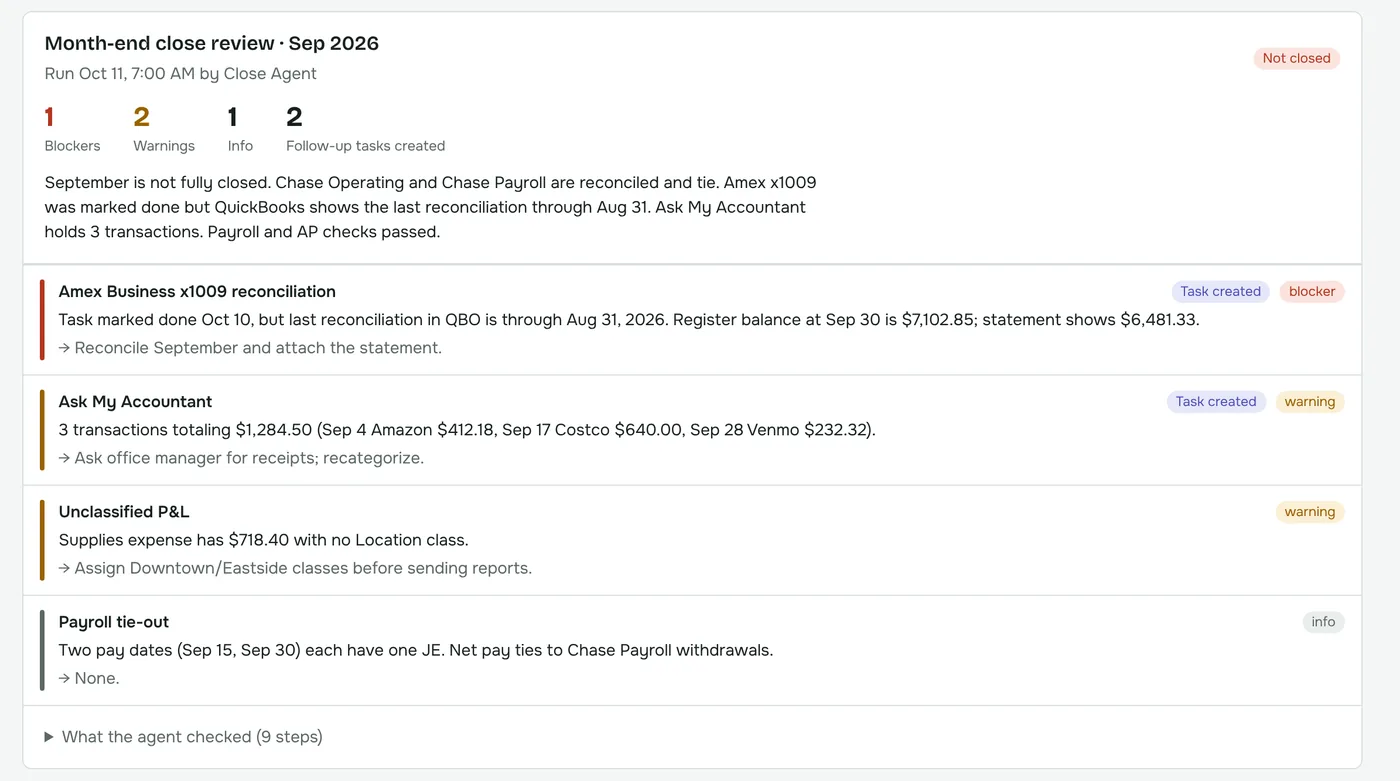
After your close deadline, the Close Agent reviews each client against their instructions and turns anything that isn’t done into a follow-up task.
Skills like “Month-end close review” and “Bank reconciliation check” read the client’s own instructions, then look at their QuickBooks data to confirm the work is really done.
Every client gets one simple place, under your firm’s name, to see what you need from them. They only ever see their own company.
Bookkeeping and accounting firms that close the books for many clients each month, especially firms on QuickBooks Online. It’s built by the team at Bottom Line Management, a bookkeeping firm, for the way firms really work.
$9.99 per client, per month. Unlimited users, and every feature is included. AI usage is billed by your own AI provider. See pricing for a calculator.
No. QuickBooks stays your ledger. AutoZonBooks is where your firm runs the work around it: tasks, client communication, AP review and checking that the close is really done.
No. Each client’s QuickBooks connection is used read-only. The Close Agent reads data and reports, and writes its findings and follow-up tasks inside AutoZonBooks.
Yes, if you want to use the Close Agent. Your firm adds its own API key (skills run on Claude today; ChatGPT, Grok and Gemini keys can also be stored). You pay your AI provider directly with no markup from us. Everything else works without AI.
Just an email address. You invite them to the portal, they set a password, and they only ever see their own company.
An importer for Asana and ClickUp is in progress and marked coming soon. Until then, we’ll help you set up your template and clients during onboarding.
A 30-minute walkthrough with someone who runs a bookkeeping firm on AutoZonBooks.